Pixel art for a 64×64 LED backpack
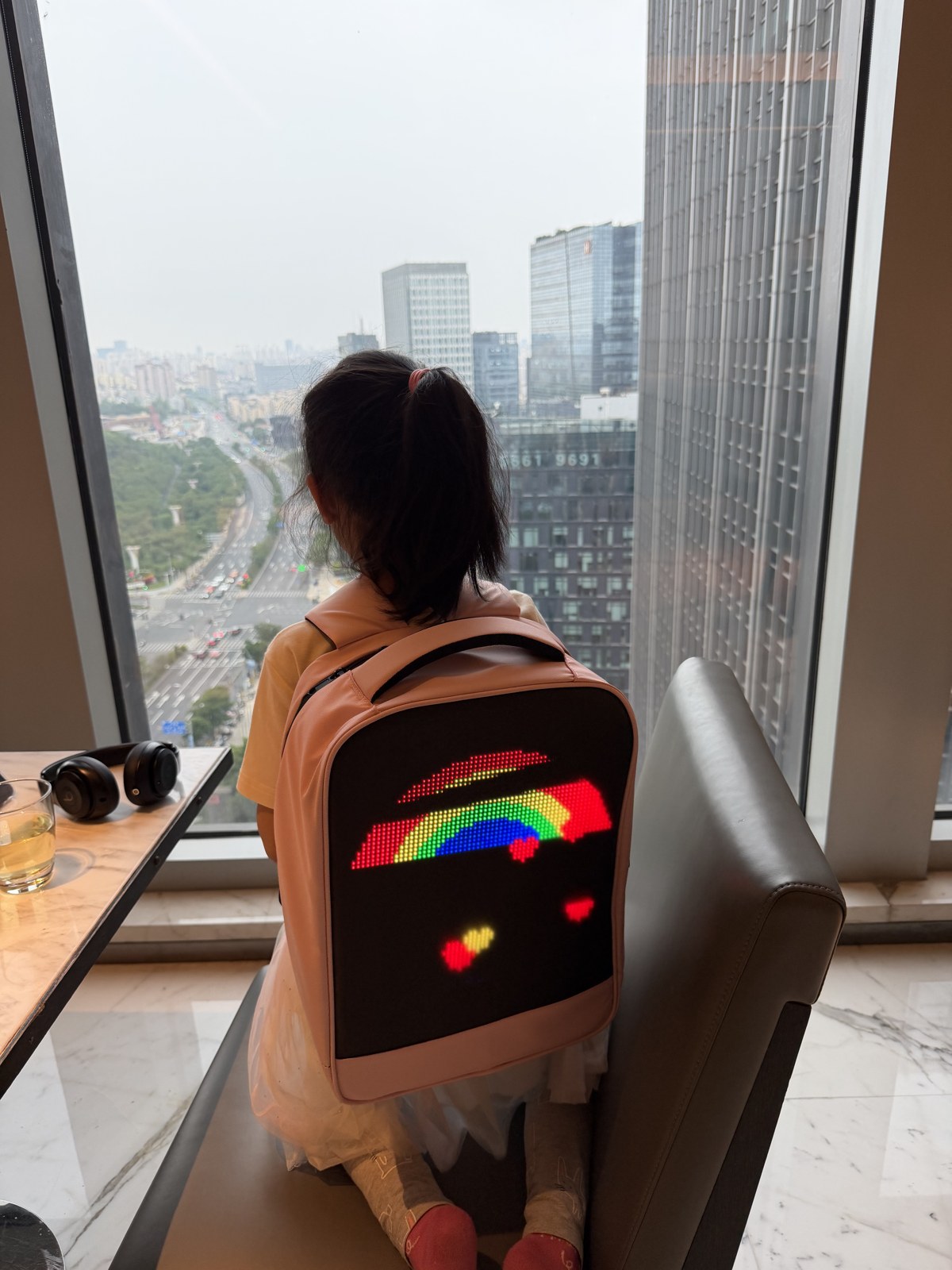
My daughter's backpack has a 64×64 RGB LED matrix on the back. I wanted it to show something that was actually hers, so I designed the animations with Claude: rainbows, unicorns and cute critters, all drawn pixel by pixel.
The art
Everything follows a rainbow, unicorn and cute-critter theme:
- Rainbow raindrops
- A rainbow with floating hearts
- Her name in a pink-to-purple gradient, with shimmer and sparkles
- A rainbow bunny
- A blinking unicorn with a flowing mane
- A prancing full-body unicorn
- A butterfly with flapping wings



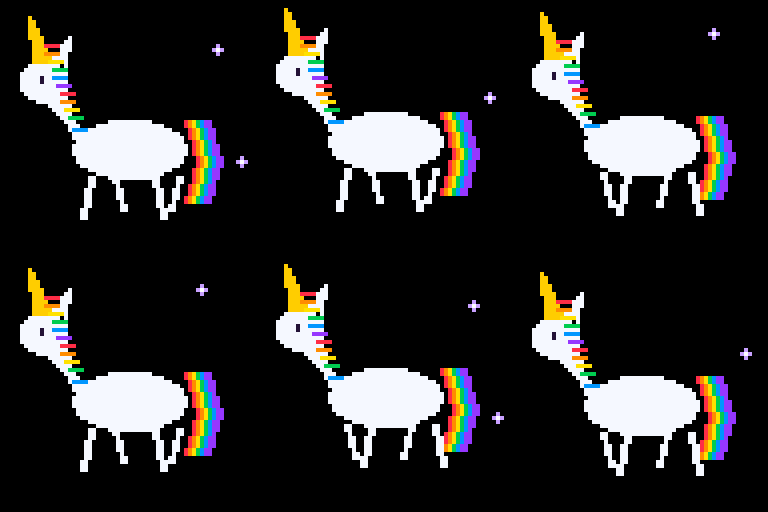
Each piece is a 64×64 animation, shown here at 4× size.
Every scene uses a pure black background. On an LED panel, black means the LEDs are off, so the colours look cleaner and the battery lasts much longer.
The app: powerful, not friendly
The panel is controlled through the RHX Plus app, and it is the roughest part of the whole project. Honestly, the UI and UX are difficult. It feels built for people who already know the workflow, not for someone who just wants to put a unicorn on a backpack.
- It talks over the control card's own Wi-Fi hotspot, so your phone has to leave your normal network to edit anything.
- The key loop is Readback → Edit → Send: pull back what is on the panel, change it, push it out again.
- The order matters. Skip Readback before editing and things go wrong.
- Several different passwords are in play (hotspot, module default, sometimes a seller-set one), and they are easy to confuse.
Plan on some trial and error, and expect the art to be the easy part.
The roadblock
Send was blocked by a password prompt. The control card had a firmware password, probably set by the seller. The fix turned out to be physical. I took the board out of the backpack, and the manuals Claude pulled up pointed to a few buttons on the card that might reset it. We tried them one at a time, and one worked. After that, Send worked.
If you buy one of these used or from a reseller: a seller-set password can lock you out of your own panel. Check the control card for a reset button before giving up.
Power
Peak draw is about 20 W with the panel at full white, but black-background art realistically runs around 3–10 W (estimates, not measurements). I sized a 20,000 mAh USB power bank at 5 V, 2–3 A for it. An inline USB power meter is worth having if you want to see the real draw.
Want one? Similar backpacks on Amazon
These are programmable LED-display backpacks like this one. I haven't tested any of them, and I can't promise any matches this panel size or app, so check the specs and reviews before you buy.
- Divoom LED Display Laptop Backpack (17 inch, app control, DIY pixel art)
- Welaso Smart Bluetooth LED Backpack (21L, programmable)
- GIFR MOVERS LED Display Laptop Backpack (17 inch, waterproof)
- Raoaoqoon LED Backpack with Programmable Screen (17 inch, app control)
Plain links, no affiliate tags. I earn nothing if you click them.
Result
The animations run on the backpack. This project is entry 17 of AI Lab Work, graded from the record of how it went.